In this video lesson I will show you how to get the Raspberry Pi to speak to you in plain English. This is our first dabbling with AI. In earlier lessons we have discussed that one of our first objectives will be to begin to audibly interact with our project through speech. The first step will be to get the Pi to talk to us. Then in future lessons we will show how to get the Pi to listen to us.
In this lesson we demonstrated simple Text to Speech (TTS) with this code.
Remember this program requires use of the AI Educational OS we flashed in LESSON #2.
|
1 2 3 4 5 6 7 8 9 10 11 12 13 14 15 |
# ==================================================================== # DISCLAIMER: # This code is provided as-is for educational and experimental # purposes only. The author makes no representations or warranties of # any kind concerning the safety, suitability, or accuracy of this # code. Use at your own risk. The author assumes no liability for any # damages, system failures, security breaches, or network issues # resulting from the use or implementation of this script. # ==================================================================== from fusion_hat.tts import Piper tts = Piper() tts.set_model('en_US-amy-low') msg = "Hi, I'm piper TTS. Are you Ready to Rumble? I am here to pump you up!" tts.say(msg, stream=False) |
As we say in the video, the first time you run the program you will get a permission error. This is because the model folders are inside a system folder and must be created as a ‘superuser’ using ‘sudo’. As shown in the video, you need to open a terminal window, and type in these commands at the command prompt (Put them in one at a time):
|
1 2 3 |
sudo mkdir -p /opt/piper_models sudo chown -R pi:pi /opt/piper_models sudo chmod -R 755 /opt/piper_models |
You only need to do that one time. Next time you run the program, all will work properly.
Then, in order to hear all the different voice models Piper offers, you can run this program, and each voice will introduce itself to you.
|
1 2 3 4 5 6 7 8 9 10 11 12 13 14 15 16 17 18 19 20 21 22 23 24 25 26 27 28 29 30 31 32 33 34 |
# ==================================================================== # DISCLAIMER: # This code is provided as-is for educational and experimental # purposes only. The author makes no representations or warranties of # any kind concerning the safety, suitability, or accuracy of this # code. Use at your own risk. The author assumes no liability for any # damages, system failures, security breaches, or network issues # resulting from the use or implementation of this script. # ==================================================================== from fusion_hat.tts import Piper from time import sleep tts = Piper() voiceDict = tts.available_models('en_US') print(voiceDict) allVoices = [] for voice in voiceDict.values(): for var in voice: allVoices.append(var) print(allVoices) msg = "Hello World. This is a test message." for voice in allVoices: tts.set_model(voice) speakableName = voice.replace('en_US-', '').replace('_', ' ') print("Switching to: " + speakableName) print(voice) ts=5 sleep(ts) intro = "This is the voice " + speakableName + "." tts.say("Hello There" + intro) sleep(.1) print("All voices demonstrated!") for voice in allVoices: print(voice) |
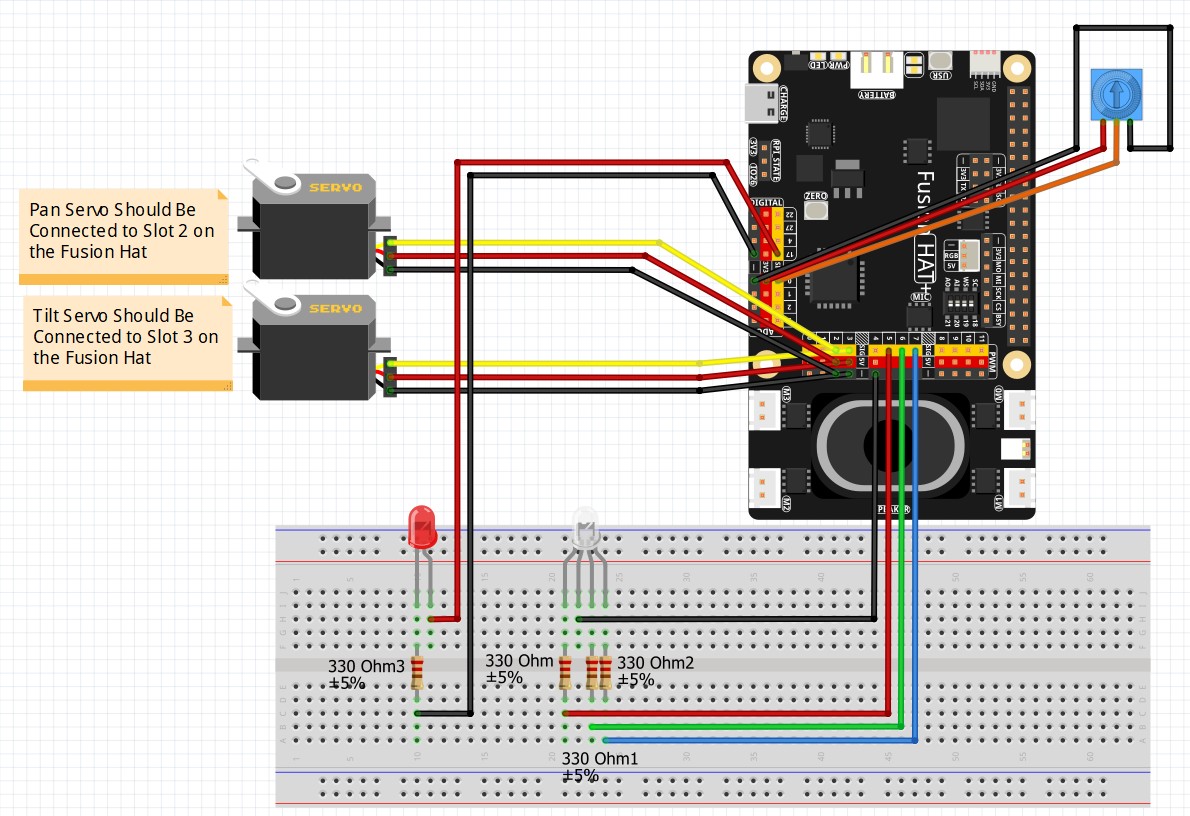
Remember in these early lessons we are using this circuit to demo our programs. Please leave this circuit put together.