Tag Archives: Arduino

9-Axis IMU LESSON 7: Understanding Low Pass Filters


In this project, we have shown how accelerometers can be used to approximate tilt. We showed in Lesson 6 how vibration can cause a problem with such a strategy, as the system will interpret vibration to be changes in tilt. A partial solution to this problem can be to program a low pass filter into the project. The video above introduces you to the concept of a low pass filter, and shows some simple examples of programming and using a low pass filter to reduce noise.

The code below is for demo purposes only, and should not be used in any real applications. It just demonstrates how to work with this sensor in benchtop presentations.


Arduino Tutorial 28: Using a Pushbutton as a Toggle Switch

In lesson 27 we learned how to incorporate a pushbutton into an arduino project. We learned how to utilize pull-up and pull-down resistors in order to incorporate a button into a circuit. The operation of the button in lesson 27 was pretty simple . . . if the button was held down, the LED would come on. When the button was released, the LED would turn back off. This is an interesting demonstration, but much more interesting is the case where we make a toggle switch. If you press and release the button, the LED comes on, and then if you press and release the button again, the LED goes off. While this sounds very similar to the previous case, it turns out to require a lot more thought. This video lesson explains how to think about this problem, and how to make it work.

If you want to follow along at home, an official Arduino Uno R3 is available HERE. In this new series of lessons, I will be using the sensor and other components found in this KIT.

Below is the code we used to achieve the toggle operation. The video gives details on how to connect up the circuit.


9-Axis IMU LESSON 3: Understanding How Accelerometers Work

Accelerometer
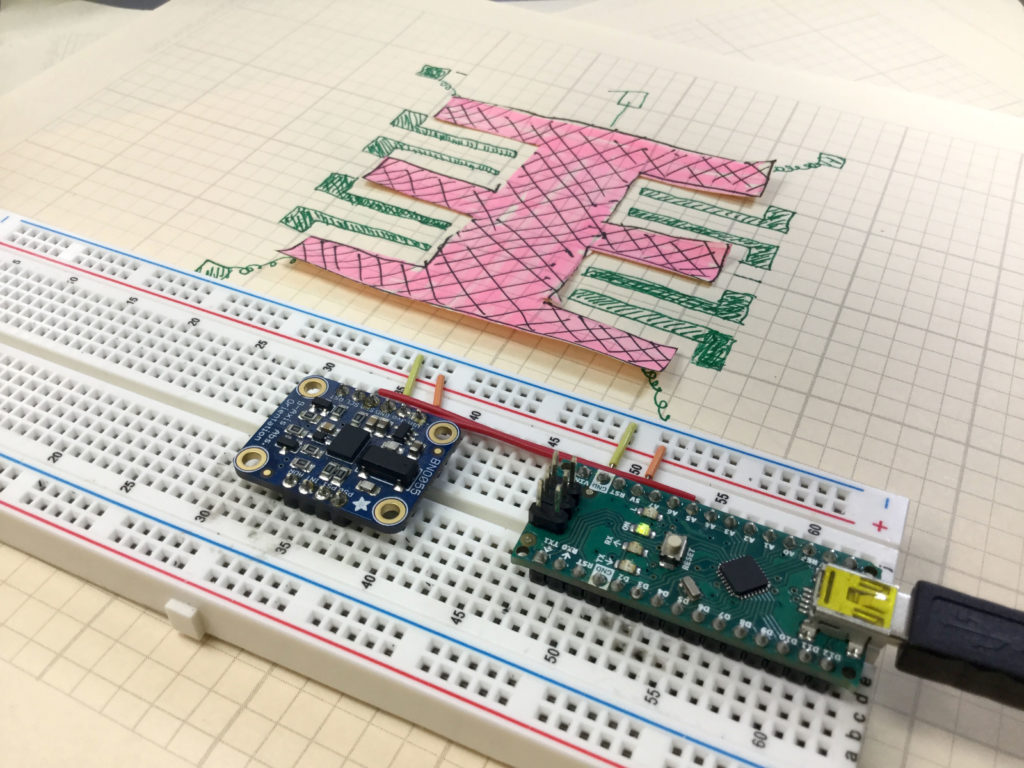
This photo shows a conceptual schematic of how an accelerometer works.

In this lesson we describe how the acceleromters on chips like the Adafruit BNO055 work. They work based on microscopic masses suspended on springs on the chip. As the chip moves, the suspended masses respond to the motion, and the gaps between the suspended masses and the substrate changes. The chips detect these changes in position by monitoring the capacitance between the suspended mass and the substrate, or between the suspended masses and carefully designed interdigitated fingers between the mass and the substrate. C=eA/d, e is the dielectric constant of the material, A is the area of the capacitor, and d is the gap between the two capacitor plates. Changes in measured capacitance come from either a change in A or a change in d. Both d and A change in response to motion, so by monitoring the capacitance of the suspended mass, acceleration can be inferred. The video below explains clearly how this works.

Code for Getting Raw Acceleration Data from the BNO055 9-axis Inertial Measurement Sensor.

The code below is for demo purposes only, and should not be used in any real applications. It just demonstrates how to work with this sensor in benchtop presentations.

Arduino Tutorial 25: Understanding Photoresistors and Photo Detectors


In this lesson we learn how to use photoresistors. A photoresistor is a semiconductor material. In the darkness, it has almost no free electrons, so its resistance is very high. When light shines on the device, electron hole pairs are created, and these electron hole pairs are free to conduct electricity. This lowers the resistance of the material. The brighter the light, the more electron hole pairs that are generated, and hence the lower the resistance. Hence, the resistance of these devices is inversely proportional to the brightness of the light. By hooking a photoresistor in series with a fixed resistor, the current will change as the resistance of the sensor changes. This leads to a measurable change in the voltage across the series resistor. Hence, by measuring this voltage, you get a signal that is proportional to the light. This can be read via an analog pin on the Arduino, and then the arduino can be programmed to do different things based on the brightness of the light. In this simple project we have a red LED and a green LED. If the light is on, the green LED is turned on. If the light is off, the red LED is on.

If you want to follow along at home, an official Arduino Uno R3 is available HERE. In this new series of lessons, I will be using the sensor and other components found in this KIT

The nice digital voltmeter used in the lesson is available HERE.

Below is the code we developed in this video lesson above.


IMUl 9-Axis IMU LESSON 2: Connecting and Getting Raw Data from the BNO055 9-Axis Sensor

BNO055
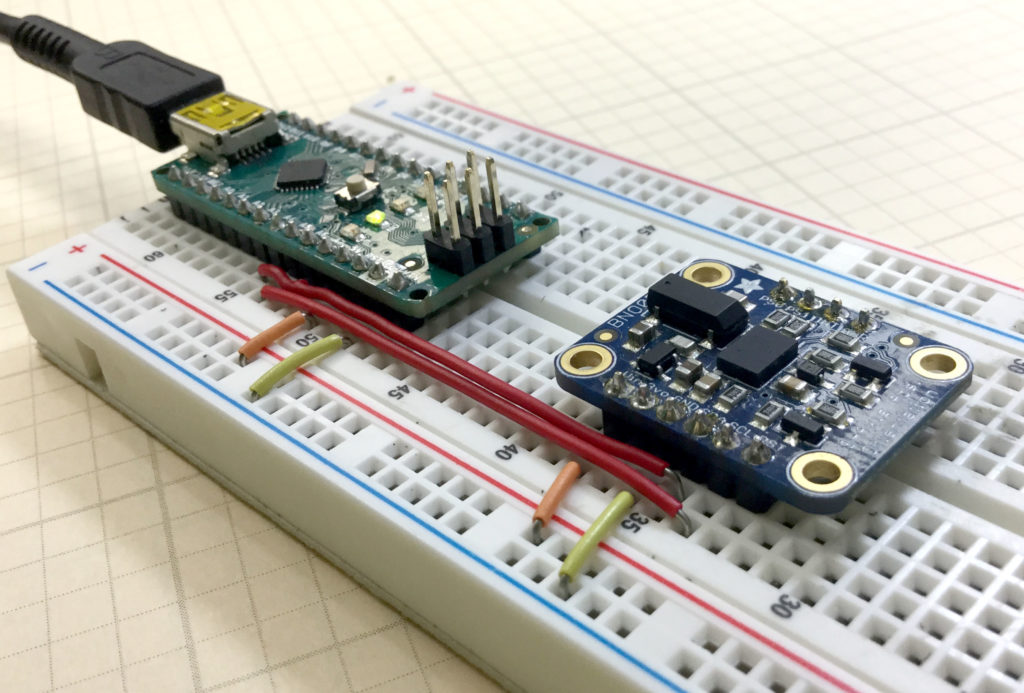
Adafruit BNO055 9-axis Sensor Connected to an Arduino Nano

In this tutorial we show you how to get raw sensor data from the Adafruit BNO055 9-axis sensor. We are using an Arduino Nano, since it allows for neat, compact builds on a breadboard. The sensor can provide acceleration along x,y and z axis, rotational velocities around x, y and z axis, as well as the strength of the earth’s magnetic vector along the sensor’s x, y, and z axis. The sensor can do a lot more than this, but to get things started, we will show you how to get these raw sensor readings from the device.

The video shows you how to connect the sensor, and below we include the code developed in the video. We strongly suggest you type the code in yourself, as you follow along with the video. You will never learn how to develop projects on your own, if you just copy and paste my code.

The code below is for demo purposes only, and should not be used in any real applications. It just demonstrates how to work with this sensor in benchtop presentations.